
Most American sales teams lose up to 30 percent of prospecting time on manual data entry and duplicate research efforts. For professionals at mid-sized tech companies, these hidden inefficiencies drain resources and slow growth. Powerful LinkedIn integration with your CRM can dramatically change the game by automating tedious tasks and capturing richer lead details. Discover straightforward steps to assess your workflow, integrate smarter tools, and create a unified system for better collaboration and data accuracy.
Quick Summary
| Key Insight | Explanation |
|---|---|
| 1. Audit Current Prospecting | Conduct a workflow audit to identify inefficiencies in identifying, researching, and approaching leads. |
| 2. Integrate Systems Effectively | Install LeadLx to link LinkedIn and CRM, allowing for automatic data transfer and improved accuracy. |
| 3. Automate Data Extraction | Utilize automated techniques for extracting prospect data, enhancing efficiency and data quality. |
| 4. Foster Team Collaboration | Implement shared dashboards and clear update protocols to enhance real-time communication across the sales team. |
| 5. Ensure Data Integrity | Regularly verify CRM records for accuracy and completeness to support effective sales strategies. |
Step 1: Assess Current Prospecting Workflow
Before transforming your sales strategy, you need a clear snapshot of your existing prospecting approach. This assessment will reveal critical inefficiencies and opportunities for improvement across your team’s lead generation efforts.
Start by conducting a comprehensive workflow audit by mapping out current prospecting processes. Document each step your team takes when identifying, researching, and approaching potential leads. Track the tools used, time spent, and specific actions in your current LinkedIn and CRM workflow. Pay attention to manual data entry tasks, profile research methods, and communication tracking. Look for repetitive actions that consume unnecessary time.
Map out your current workflow by creating a visual diagram or spreadsheet that captures each touchpoint. Identify bottlenecks where team productivity slows down. Common problem areas include inconsistent data capture, multiple team members researching the same prospects, and disconnected communication channels between LinkedIn interactions and CRM updates. Quantify the time spent on each prospecting activity to understand potential efficiency gains.
Here’s a summary of common prospecting workflow bottlenecks and their potential business impact:
| Bottleneck Type | Description | Impact on Team Productivity |
|---|---|---|
| Inconsistent data capture | Data entered varies by user or platform | Causes confusion and rework |
| Duplicate research efforts | Multiple members research same prospects | Wastes valuable team time |
| Disconnected communication | LinkedIn and CRM updates not linked | Results in lost opportunities |
| Manual data entry | Information inputted by hand | Slows process, increases errors |
Pro tip: Schedule a 60-minute team workshop to collaboratively document your current prospecting workflow, ensuring multiple perspectives are captured and no critical steps are overlooked.
Step 2: Integrate LeadLx with LinkedIn and CRM
Streamlining your prospecting workflow requires seamless integration between LinkedIn, LeadLx, and your Customer Relationship Management system. This critical step transforms how your team captures, tracks, and manages potential leads across multiple platforms.

To begin integration, install the LeadLx browser extension and connect it directly with your existing CRM platform. Complete LinkedIn CRM integration involves synchronizing your HubSpot or Salesforce account with the LeadLx platform. During setup, authorize the necessary permissions that allow automatic data transfer between LinkedIn profile information and your CRM database. This process eliminates manual data entry and ensures your sales team has instant access to comprehensive lead details.
Carefully review the integration settings to configure how prospect information will be captured and transferred. Select which data points you want automatically imported into your CRM records profile location, job title, company details, and contact information. Verify that the connection maintains data privacy and compliance standards while providing your team with rich, actionable insights about potential leads.
Pro tip: Conduct a test run of the integration by capturing 5 to 10 prospect profiles to ensure smooth data transfer and verify all critical information is correctly synchronized.
Step 3: Streamline Contact and Company Data Extraction
Effective data extraction transforms your prospecting workflow by rapidly collecting accurate contact and company information from multiple sources. Your goal is to minimize manual research while maximizing the quality and completeness of lead data.
Automated data extraction techniques provide powerful solutions for capturing comprehensive prospect details with minimal effort. Configure the LeadLx browser extension to automatically pull key information directly from LinkedIn profiles, including job titles, company names, and contact email addresses. Prioritize extracting structured data points that align with your CRM requirements, ensuring seamless integration and reducing the need for manual data entry.
Compare automated and manual data extraction methods for lead generation:
| Extraction Method | Efficiency Level | Data Quality | Potential Drawback |
|---|---|---|---|
| Automated | High, rapid results | Consistent, structured | May miss contextual info |
| Manual | Time consuming | Varies, context-rich | Prone to errors, slower |
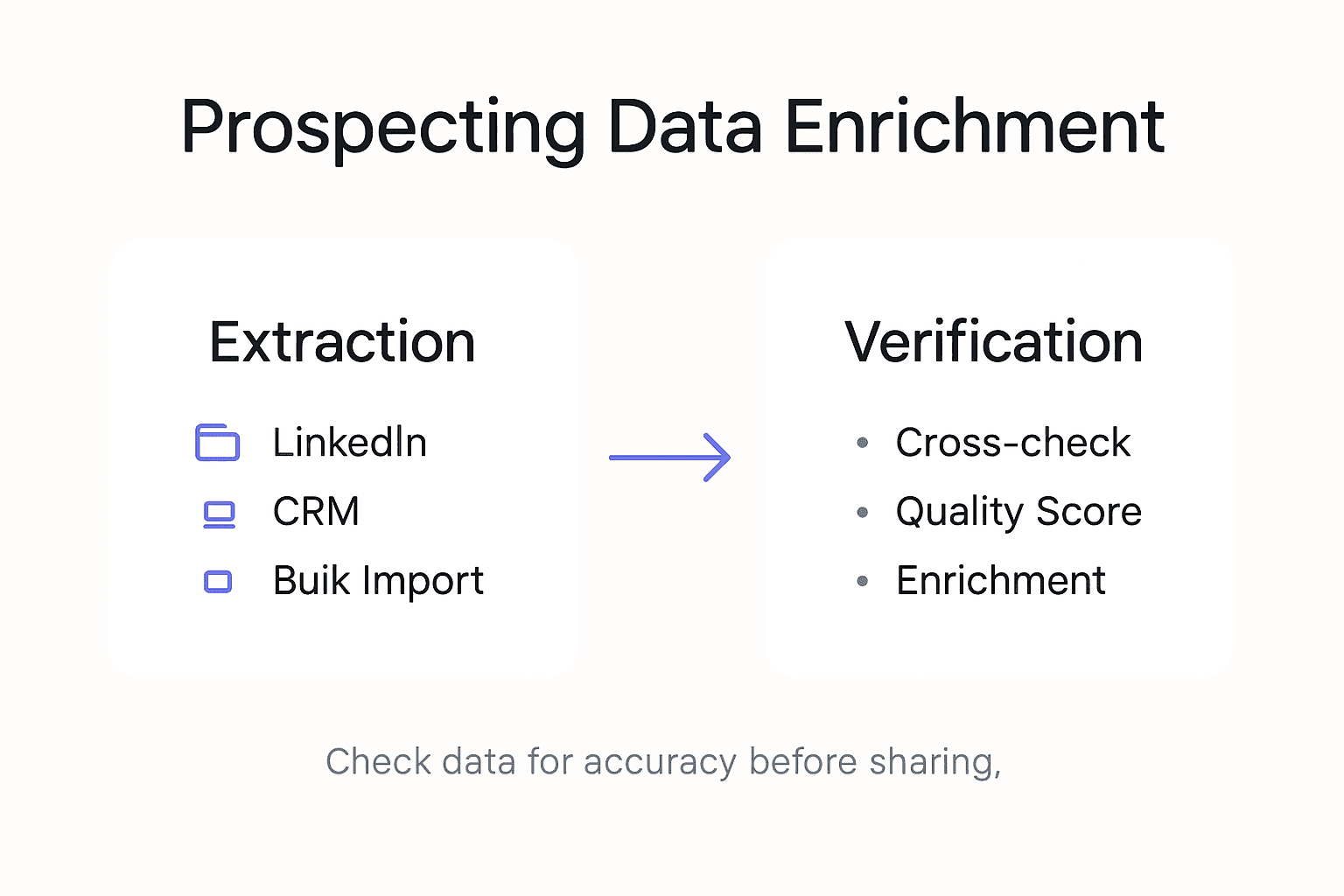
Develop a systematic approach to verifying and enriching extracted data. Cross reference information from LinkedIn profiles with other professional networking platforms and company websites to validate accuracy. Set up automated validation rules within your CRM to flag incomplete or potentially incorrect contact records, allowing your team to quickly review and update information. Configure the extraction process to capture not just basic contact details, but also contextual information like recent job changes, professional achievements, and mutual connections that can inform more personalized outreach strategies.
Pro tip: Create a standardized data quality checklist that defines minimum acceptable information requirements for each prospect record to maintain consistent and reliable lead data across your team.
Step 4: Optimize Team Collaboration and Data Sharing
Effective team collaboration transforms prospecting from an individual effort into a synchronized powerhouse of collective intelligence. Your goal is to create a unified approach where sales team members can seamlessly share insights, prevent duplicate work, and maintain a single source of truth for prospect information.
Data sharing best practices emphasize creating transparent and accessible information systems. Configure your CRM and LeadLx settings to enable real time visibility across your sales team. Implement shared dashboards that display active prospects, recent interactions, and ongoing outreach efforts. Establish clear protocols for updating contact records, ensuring that every team member understands how and when to modify shared information. Use role based permissions to control data access while maintaining comprehensive team transparency.
Establish a systematic workflow for knowledge transfer and collaborative prospecting. Schedule weekly team meetings to review shared prospect insights, discuss emerging lead opportunities, and validate data quality. Create a centralized repository within your CRM for capturing team notes, interaction histories, and strategic observations about potential leads. Encourage team members to annotate prospect records with contextual information that goes beyond basic contact details, such as communication preferences, potential challenges, and strategic approach recommendations.
Pro tip: Develop a standardized tagging system within your CRM to categorize prospects by industry, engagement stage, and potential value, enabling faster team communication and more targeted prospecting efforts.
Step 5: Verify CRM Records for Accuracy and Completeness
Ensuring the integrity of your CRM data is crucial for maintaining effective sales processes and making informed business decisions. Your objective is to develop a systematic approach that consistently validates and improves the quality of your contact and company information.
CRM data accuracy procedures require a multifaceted validation strategy. Implement automated data quality checks that identify incomplete records, outdated contact information, and potential duplicates. Configure your CRM to flag records missing critical fields such as email addresses, phone numbers, or company details. Set up regular automated scans that compare existing records against current LinkedIn profiles and external business databases to ensure real time accuracy.
Establish a clear protocol for ongoing data maintenance and verification. Create a team responsibility matrix where specific team members are accountable for reviewing and updating assigned prospect records on a weekly or biweekly basis. Develop standardized validation rules that automatically highlight potential data inconsistencies, such as mismatched job titles, outdated company information, or contact details that have not been updated within a specific timeframe. Encourage team members to use LeadLx browser extension features that can quickly cross reference and update information directly from LinkedIn profiles.
Pro tip: Create a monthly data quality scorecard that tracks record completeness, accuracy rates, and provides incentives for team members who consistently maintain high data standards.
Transform Your Team’s Prospecting Workflow with LeadLx
The article highlights common challenges like inconsistent data capture, duplicate research efforts, and disconnected communication between LinkedIn and CRM systems that stall your team’s productivity. If your goal is to streamline data extraction, boost collaboration, and ensure CRM accuracy, you need a solution built specifically to eliminate manual tasks and prevent costly errors. LeadLx is designed to flawlessly integrate LinkedIn with HubSpot and Salesforce so your sales team can save time and focus on high-value interactions.
Through features like one-click contact extraction, bulk data pulls from LinkedIn search results, and real-time CRM record updates, LeadLx reduces repetitive tasks and provides seamless visibility across your entire prospecting process. Avoid the pain of lost opportunities caused by disconnected platforms and empower your team with the tools they need to work smarter and faster.

Ready to enhance your prospecting steps for LinkedIn and CRM success? Discover how LeadLx can help you automate data capture, improve team collaboration, and keep your CRM clean and accurate today. Visit LeadLx and start transforming your sales workflow now. Learn more about seamless LinkedIn CRM syncing with our LinkedIn CRM integration guide. Take control of your data extraction process by exploring automated data extraction techniques paired with LeadLx capabilities.
Frequently Asked Questions
How can I assess our current prospecting workflow effectively?
To assess your current prospecting workflow, conduct a comprehensive audit of each step your team takes to identify, research, and approach potential leads. Document the tools used and time spent on activities to identify bottlenecks and inefficiencies that can be improved.
What steps should I take to integrate LeadLx with LinkedIn and our CRM?
Start by installing the LeadLx browser extension and connecting it directly to your CRM. Ensure you authorize permissions for automatic data transfer, and configure which lead information will be captured, aiming for a seamless workflow with minimal manual data entry.
How can I optimize data extraction for prospecting?
To optimize data extraction, configure the LeadLx browser extension to automatically pull key contact and company details from LinkedIn. Focus on maintaining high data quality by implementing a systematic verification process to cross-reference extracted information with other reliable sources, and set validation rules in your CRM for incomplete records.
What best practices should I follow for team collaboration and data sharing?
Implement shared dashboards and clear update protocols in your CRM to enhance team collaboration. Encourage regular meetings to discuss insights on prospects and maintain a single source of truth to prevent duplicate efforts among team members.
How can we verify CRM records for accuracy and completeness?
Ensure data integrity in your CRM by setting up automated checks for incomplete or outdated records. Assign team members to review and update prospect records regularly, and develop standardized validation rules to highlight inconsistencies for correction.
Recommended
- Prospecting Process Optimization: Boost Sales Efficiency Fast
- The Essential Guide to Why Sales Teams Use LinkedIn
- Time-Saving Prospecting Methods for Efficient Lead Capture
- Outbound Prospecting Explained: Complete Expert Overview
- 10 Effective Lead Generation Strategies for Businesses – Jarrod Harman
- 7 Effective Networking Strategies for Entrepreneurs