
Most American sales teams lose nearly 20 percent of their productive time every week to manual CRM updates. Efficient prospecting demands more than just hard work, it requires smart tools that connect LinkedIn and your CRM without the usual hassle. Discover how seamless integration can help you capture high-value leads, eliminate duplicate entries, and save hours each month by making your American prospecting workflow faster and more accurate.
Quick Summary
| Essential Insight | Explanation |
|---|---|
| 1. Streamline LinkedIn with LeadLx Integration | Connect LinkedIn with HubSpot to eliminate manual data entry and enhance prospecting efficiency. |
| 2. Utilize Bulk Extraction for Leads | Rapidly extract multiple contact details from LinkedIn to build prospect lists and save time. |
| 3. Instant Data Synchronization to CRM | Update and sync contact information from LinkedIn directly to your CRM with one click. |
| 4. Verify Data Accuracy and Prevent Duplicates | Regularly check for duplicates and standardize information to maintain clean CRM data. |
Step 1: Set Up LinkedIn and CRM Integration with LeadLx
You are about to transform your prospecting workflow by seamlessly connecting your LinkedIn data with your CRM system using LeadLx. This Chrome extension eliminates the manual data entry hassle by automatically overlaying HubSpot information directly onto LinkedIn profiles, enabling instant contact and company information extraction.
To get started, navigate to the Chrome Web Store and download the LeadLx extension. Once installed, log into your HubSpot account and sync your credentials within the extension. The tool will immediately begin enhancing your LinkedIn browsing experience by displaying relevant CRM data without requiring you to switch between tabs.
Pro tip: Verify your integration by visiting a LinkedIn profile and checking if the LeadLx overlay appears with HubSpot contact details. This single step can help you save approximately 10 hours per week in manual data management, drastically improving your team’s productivity and lead generation efficiency.
With the integration complete, you are now ready to start extracting contact information, updating CRM records, and streamlining your prospecting workflow like never before.
Step 2: Import and Overlay CRM Data onto LinkedIn Profiles
Unlocking the full potential of your prospecting workflow means seamlessly integrating your CRM data directly onto LinkedIn profiles. With LeadLx, you can instantly transform how you view and interact with potential leads by automatically overlaying HubSpot contact information across your LinkedIn network.
To begin the import process, ensure your LeadLx Chrome extension is active and your HubSpot credentials are synchronized. As you navigate through LinkedIn profiles, the extension will automatically pull relevant contact details, company information, and previous interaction history without requiring manual data entry. This contact information management tutorial can help you maximize the efficiency of your data integration strategy.
Pro tip: Pay close attention to the overlay details. LeadLx not only imports existing contact information but also helps prevent duplicate entries by providing real time visibility into your team’s CRM records. This means you can quickly identify whether a contact has already been engaged by another team member, saving time and preventing redundant outreach efforts.
With CRM data now seamlessly integrated into your LinkedIn browsing experience, you will be able to make more informed and strategic connection requests, craft personalized messages, and accelerate your lead generation process in the future.

Step 3: Extract and Capture High-Value Leads Efficiently
Maximizing your lead generation potential requires a strategic approach to identifying and capturing the most promising prospects across LinkedIn. LeadLx empowers sales professionals to transform their prospecting workflow by enabling rapid extraction of high-value contact information directly from LinkedIn profiles.
To capture leads efficiently, utilize the bulk extraction feature within the LeadLx Chrome extension. When performing a LinkedIn search, you can select multiple profiles and extract comprehensive contact details simultaneously. This approach eliminates the time consuming process of manual data collection, allowing you to build robust prospect lists in minutes. The extension automatically populates your CRM with verified contact information, complete with company details and potential connection points.
Pro tip: Focus on quality over quantity. While bulk extraction is powerful, prioritize profiles that align closely with your ideal customer profile. Look for decision makers, recent job changes, and profiles with detailed professional backgrounds that suggest genuine potential for engagement.
With these advanced extraction techniques, you are now equipped to transform your prospecting strategy, turning LinkedIn into a precision instrument for identifying and capturing high potential leads with unprecedented efficiency.
Step 4: Update and Sync Prospect Data Instantly to CRM
Transforming your lead management workflow means mastering the art of instant data synchronization. LeadLx provides a powerful one click solution for updating and syncing prospect information directly from LinkedIn into your CRM system with unprecedented speed and accuracy.
To initiate the sync process, simply select the desired LinkedIn profile and click the LeadLx extension button. The tool will automatically extract and populate your HubSpot or Salesforce CRM with comprehensive contact details including name, title, company information, and any additional profile insights. This seamless integration eliminates manual data entry, reducing potential errors and saving significant time in your prospecting workflow.
Pro tip: Always verify the accuracy of imported data before finalizing contact records. While LeadLx provides robust data extraction, occasional manual review ensures the highest quality of information entering your CRM system.
With your prospect data now effortlessly synchronized, you have transformed LinkedIn from a simple networking platform into a dynamic lead generation engine, ready to supercharge your sales outreach and relationship building strategies.
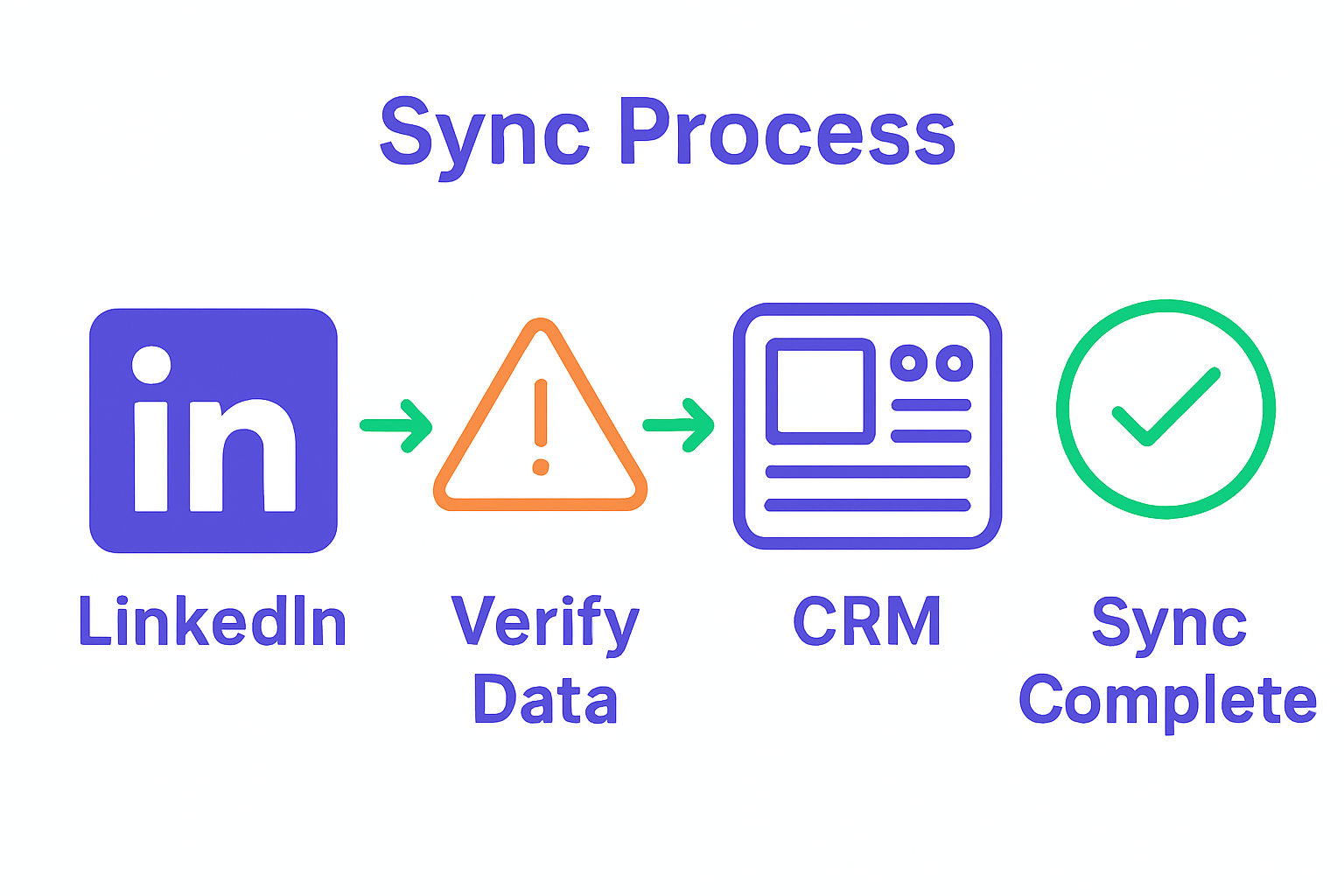
Step 5: Verify Data Accuracy and Eliminate Duplicates
Ensuring the integrity of your CRM data is crucial for maintaining effective sales workflows. The advanced duplicate prevention techniques employed by modern CRM integration tools help protect your database from redundant and potentially conflicting contact information.
LeadLx provides robust mechanisms for identifying and preventing duplicate entries by cross referencing profile URLs and names against existing CRM records. When importing a new contact, the system automatically scans your database to determine whether the prospect already exists. If a potential match is detected, the tool simply shows that the contact already exists in the CRM and offers to update the existing record instead of creating a completely new contact.
Pro tip: Develop a consistent naming convention and standardize contact information formats within your team. This proactive approach reduces the likelihood of accidental duplicates and streamlines your data management process.
By implementing these precise data verification strategies, you transform your CRM from a simple contact repository into an intelligent system that maintains clean, accurate, and actionable prospect information.
Supercharge Your LinkedIn Prospecting with Seamless CRM Integration
Are you looking to eliminate the frustration of manual data entry while boosting your prospecting efficiency on LinkedIn This article highlights common challenges sales teams face like switching between tabs to access CRM details, duplicate data entry, and inconsistent contact information. These obstacles cost valuable time and slow down your lead generation efforts. By using precise tools designed for real-time data overlay and instant syncing, you can transform your sales workflow and achieve higher accuracy with less effort.
LeadLx is the solution that answers these needs perfectly Our platform integrates LinkedIn directly with CRM systems like HubSpot and Salesforce, allowing you to capture and update contact information instantly without leaving your browser. Imagine saving approximately 10 hours every week while preventing duplicates and improving team collaboration through shared CRM visibility. With automated bulk data extraction and real-time syncing, you can focus on engaging high-potential leads instead of managing spreadsheets.
Discover how to optimize your LinkedIn prospecting with the power of CRM integration by visiting LeadLx today.
Experience the difference in your sales process starting now

Ready to eliminate wasted time and streamline your lead management Explore how LeadLx can redefine your LinkedIn outreach with instant CRM syncing and effortless data capture. Take the next step toward a more productive sales pipeline at LeadLx and start transforming your prospecting workflow today.
Frequently Asked Questions
How do I set up LinkedIn and CRM integration using LeadLx?
To set up LinkedIn and CRM integration with LeadLx, download the LeadLx Chrome extension from the Chrome Web Store and log into your CRM account. After syncing your credentials within the extension, verify the integration by visiting a LinkedIn profile to see if the LeadLx overlay appears with CRM details.
Can I import my existing CRM data into LinkedIn with LeadLx?
Yes, LeadLx allows you to automatically overlay your existing CRM data onto LinkedIn profiles. Ensure the LeadLx extension is active and synced with your CRM, and as you browse profiles, relevant contact details will pull in automatically.
How can I capture leads efficiently using LeadLx?
You can capture leads efficiently by utilizing the bulk extraction feature in LeadLx, which enables you to select and extract contact details from multiple LinkedIn profiles at once. Focus on profiles that match your ideal customer profile to ensure the highest potential for engagement.
What steps should I follow to sync prospect data from LinkedIn to my CRM?
To sync prospect data from LinkedIn to your CRM, select a LinkedIn profile and click the LeadLx extension button. This will automatically extract relevant contact details and populate them into your CRM, streamlining your prospecting workflow.
How do I ensure there are no duplicate entries in my CRM after importing data?
LeadLx automatically checks for duplicate entries by cross-referencing profile URLs and names against your existing CRM records. To maintain data integrity, regularly review these flags to update existing contacts rather than creating duplicates.
What is the benefit of integrating LinkedIn data with my CRM?
Integrating LinkedIn data with your CRM significantly reduces manual data entry and potential errors, boosting your team’s productivity. By optimizing this process, you could save approximately 10 hours per month, enhancing overall lead generation efficiency.
Recommended
- Time-Saving Prospecting Methods for Efficient Lead Capture
- Contact Information Management Tutorial for CRM Success
- LinkedIn Data Management Guide | LeadLx
- LeadLx – Bridge HubSpot & LinkedIn Seamlessly for free
- LinkedIn Marketing – seo analytic
- LinkedIn lanza herramientas de IA y automatización para optimizar el rendimiento de anuncios