
Finding accurate leads and keeping your CRM up to date can feel like a puzzle for sales and marketing teams. Each new contact means more searching, more double checking, and sometimes more manual updates than you bargained for. Imagine spending less time jumping between tabs or chasing down missing details and more time reaching actual prospects. Tools designed for modern prospecting are stepping in with clever ways to enrich data, automate chores, and turn hours of manual work into a few quick clicks. The range of features and the real difference each one makes can surprise you. Which solution stands out for efficiency, data quality, or seamless CRM sync? The next comparison shines a spotlight on fresh ways to approach prospecting and contact management.
Leadlx
At a Glance
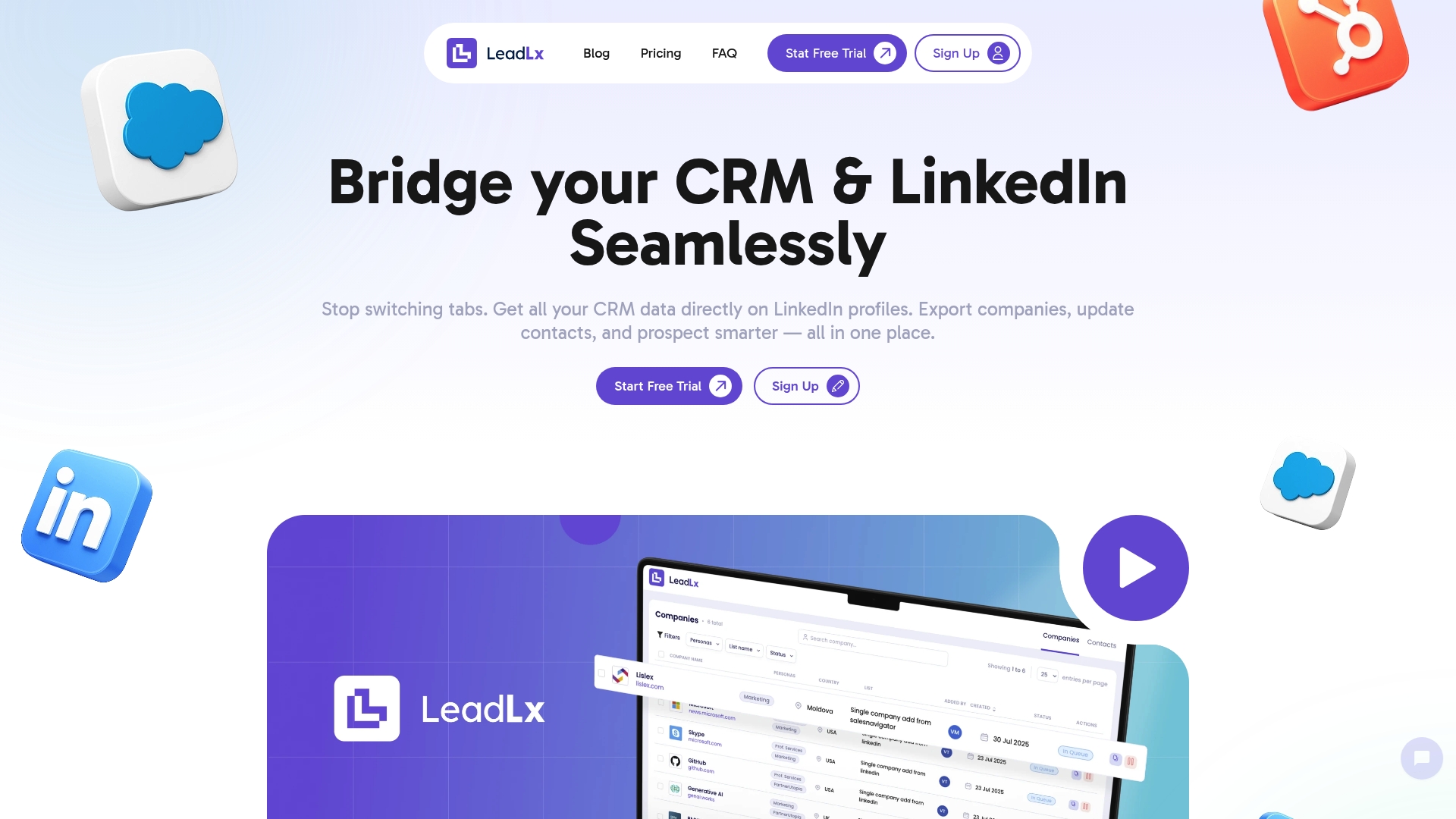
Leadlx is a focused SaaS solution that overlays CRM data onto LinkedIn so you can prospect without switching tabs. It combines one-click CRM updates, bulk extraction from searches, and seamless exports to HubSpot or Salesforce to reduce repetitive manual work. Teams report time savings of roughly 10 hours per week, improved data accuracy, and fewer duplicate records across shared CRMs.
Core Features
Leadlx provides a browser extension that places HubSpot and Salesforce records directly on LinkedIn profiles, enabling you to view CRM context while you research prospects. You can extract contact and company information instantly from individual profiles or entire search results, process saved searches into usable datasets, and push updates back to your CRM with a single click. The platform emphasizes smooth data export and shared visibility to keep team records consistent and prospecting efficient.
Pros
- Saves time by eliminating tab switching, allowing you to research and update CRM records without interrupting your workflow.
- Automates contact and company data updates so CRM entries are refreshed quickly and consistently.
- Supports multiple CRM systems like HubSpot and Salesforce, giving teams flexibility to work in their existing stack.
- Offers flexible data extraction options, including bulk pulls from search results to accelerate list building.
- Simplifies prospecting workflows by combining research, extraction, and CRM updates into one interface.
Who It’s For
Leadlx is built for sales and marketing professionals, business development reps, and operations teams who rely on LinkedIn for lead generation and already use HubSpot or Salesforce. If your day involves frequent profile research, bulk list building, or maintaining shared CRM hygiene across a team, Leadlx is designed to remove repetitive steps and let you focus on outreach and conversions.
Unique Value Proposition
Leadlx’s strength is its razor-focused integration that brings CRM intelligence to LinkedIn in real time. Rather than a broad suite of ancillary features, Leadlx concentrates on three mission-critical functions: surfacing CRM context on profiles, extracting accurate contact and company data at scale, and performing one-click updates back to HubSpot or Salesforce. That tight scope boosts reliability and speed—so teams save about 10 hours per week while reducing duplicate entries through shared CRM visibility. This design choice favors deep utility over feature bloat, positioning Leadlx as the superior choice for professionals who measure ROI in hours reclaimed, cleaner pipelines, and faster prospecting cycles.
Real World Use Case
A sales representative runs a targeted LinkedIn search for decision-makers, uses Leadlx to extract all contacts from the results, then immediately updates existing CRM profiles with new titles and company details. The rep exports a clean contact list to HubSpot, avoiding duplicate records and handing a ready-to-engage pipeline to the sales team within minutes.
Pricing
Free plan available; Pro plan costs €30 per seat per month. The free tier is useful for quick trials, while the Pro plan unlocks bulk extraction and full CRM update capabilities.
Website: https://leadlx.com
Lusha
At a Glance
Lusha is a focused sales enablement platform that packages verified B2B contact data with prospecting and automation tools designed for revenue teams. It gives you access to a large, curated database — 280 million+ verified contacts — and tight CRM sync to reduce manual data entry. If you need fast, validated contact details and streamlined outreach, Lusha delivers; expect to manage credit usage and invest time up front to get the most from its automation. A pragmatic choice for teams that prioritize clean data and measurable outreach gains.
Core Features
Lusha combines automated prospecting and lead enrichment with CRM synchronization and outreach automation. Core capabilities include access to a massive repository of verified emails and direct dials, buy signals and intent data to improve targeting, and personalized email sequences that can be triggered from the platform or its Chrome extension. Integrations with major CRMs let teams push enriched records back into their systems, while automation workflows handle routine follow-ups and sequence progression.
Pros
- Extensive verified contact database with high accuracy rates: Lusha claims access to over 280 million verified contacts, which speeds prospecting and reduces bouncebacks during outreach.
- Seamless CRM integration and automation capabilities: Built-in sync with popular CRMs enables one-click enrichment and keeps records consistent across tools.
- Backed by robust compliance credentials: Lusha lists compliance with GDPR, CCPA, ISO 27001, and SOC 2 Type II, which supports enterprise security and privacy requirements.
- Versatile across teams: The feature set serves sales, RevOps, marketing, and recruitment, making it a multi-use platform for contact discovery and enrichment.
- Positive customer feedback on lead quality: Users frequently report improved connection rates and higher-quality leads after enrichment.
Cons
- Credit-based pricing requires active management: Plans are credit-based, which can force administrators to track and allocate credits closely for larger teams.
- Data quality can vary by segment: While the database is large and often accurate, quality is dependent on available sources and can fluctuate for certain industries or regions.
- Platform learning curve for advanced features: Teams may need time and training to use automation workflows and intent signals effectively rather than relying solely on basic enrichment.
Who It’s For
Lusha fits sales, marketing, revenue operations, and recruitment teams that need verified B2B contact and company data to accelerate outreach and improve conversion rates. It especially benefits smaller to mid-market teams that want rapid enrichment without a heavy data engineering lift.
Unique Value Proposition
Lusha’s strength is combining a broad, verified contact database with integrated outreach and CRM workflows so teams can move from prospect discovery to engagement without toggling between multiple tools. The compliance posture and specialized features for different functions make it a practical choice for teams that need reliable, enterprise-ready contact data.
Real World Use Case
A sales team enriches a cold list with Lusha, adds direct dials and validated emails to CRM records, and launches personalized email sequences. Within weeks, connection rates rise and follow-up cadence becomes automated, shortening deal cycles and freeing reps for high-value conversations.
Pricing
Credit-based system; details vary by plan and usage, with a free plan offering up to 70 credits per month.
Website: https://lusha.com
Wiza
At a Glance
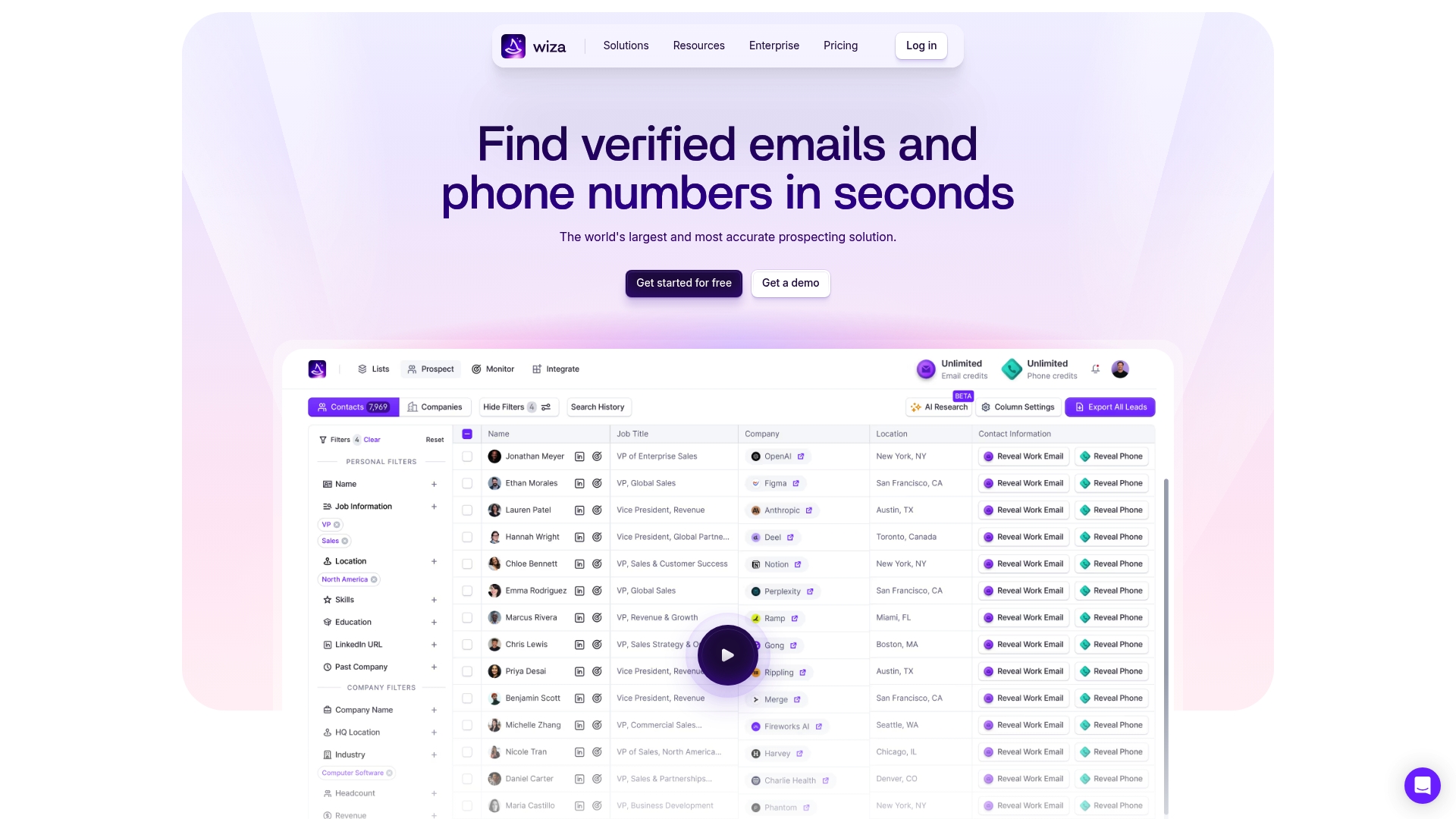
Wiza is a prospecting tool that focuses on finding verified contact details in real time and feeding them into your outreach workflows. It pairs a lightweight Chrome extension with bulk export and CRM integration features, plus job change alerts to help you time outreach. If your team needs high-confidence emails and phone numbers and a way to push those records into CSV or CRM systems quickly, Wiza delivers. The pricing tiers are wide, so expect to match features to team size and budget.
Core Features
Wiza offers real-time prospecting with active data source checks, a Chrome extension that pulls contact data directly from profiles, and bulk export of prospects to CSV or a CRM. The product promises verified contact details—emails, phones, and job information—and includes Wiza Monitor for job change alerts that notify teams via Slack and email. CRM integration and optional AI research capabilities are available on higher tiers, making Wiza a full-stack prospecting companion rather than a one-off lookup tool.
Pros
- Accurate, real-time contact data: Wiza emphasizes active source checks to reduce stale or invalid leads, which improves deliverability and outreach quality.
- Easy-to-use Chrome extension: The extension lets you grab contact information while browsing, minimizing tab switching and manual copy-paste tasks.
- Bulk export and CRM integration capabilities: You can move lists in bulk to CSV or directly into your CRM, saving hours compared with manual entry.
- High customer satisfaction and positive reviews: Strong ratings on G2 and the Chrome Web Store indicate reliable user experience and trust in data quality.
- Job change alerts to optimize outreach timing: Wiza Monitor notifies your team when key contacts change roles, helping you re-engage at high-opportunity moments.
Cons
- Pricing may be complex with multiple plans: The tier range from $83 to $399 per month, billed annually, can be confusing and may require comparing features to understand true value.
- Dependent on internet connection for real-time data: Because Wiza verifies data live, offline or spotty connections limit functionality and speed.
- Some features carry additional costs or require integration setup: Advanced capabilities like unlimited access, CRM integrations, and AI research appear tied to higher-priced plans or add-ons, which can raise total cost of ownership.
Who It’s For
Wiza is best for Sales teams, Business Development professionals, Marketers, and Account Managers who rely on accurate contact data for cold outreach and multi-channel campaigns. If you already use a CRM and need a way to enrich records and export lists quickly from LinkedIn-style research, Wiza fits naturally into that workflow.
Unique Value Proposition
Wiza’s strength lies in combining real-time verification with a browser-first experience and automated alerts. That mix reduces bounced emails, lowers manual data entry, and surfaces timing signals like job changes—so you reach prospects with confidence and at moments that matter.
Real World Use Case
A Sales team uses Wiza to pull verified emails and phone numbers from profiles, export a cleaned prospect list to CSV, and import those records into their CRM. They then activate Wiza Monitor alerts to track job moves for target accounts and re-prioritize outreach when decision-makers change.
Pricing
Free plan available with basic features; paid plans range from $83 to $399 per month, billed annually, with additional features like unlimited access, CRM integrations, and AI research available on higher tiers.
Website: https://wiza.co
Surfe
At a Glance
Surfe is a prospecting and data enrichment platform that overlays a CRM-centric workflow onto prospect discovery, letting you hunt, verify, and push contacts into your CRM without heavy manual effort. Its Chrome extension, enrichment API, and native integrations with Salesforce, HubSpot, Pipedrive, and Copper make it a practical choice for teams that need accurate, GDPR-compliant contact data at scale. Expect faster list building and fewer duplicate entries — but be mindful that pricing and plan transparency may be hurdles for smaller teams.
Core Features
Surfe bundles a CRM Chrome extension for contact and company search with deep data enrichment — email, mobile, and social profile capture — and a waterfall enrichment API designed for high-volume processing. It supports prospect list building with advanced filters (technographics, industry, revenue, location), real-time job change alerts, LinkedIn and social media integration for seamless collection, and message templates with social message tracking to optimize outreach. Integrations are native with major CRMs, enabling one-click syncs that reduce manual data entry and keep your sales stack aligned.
Pros
- High data accuracy and global coverage: Surfe emphasizes verified contact details across regions, helping you reach prospects with fewer bounces.
- Seamless CRM integration reduces manual work: Native connectors with Salesforce, HubSpot, Pipedrive, and Copper let teams push enriched records directly into their existing pipelines.
- Scalable enrichment API for large-volume processing: The waterfall enrichment API is built to handle bulk workflows, which is useful for teams running large outbound campaigns or nightly enrichment jobs.
- User-friendly setup and onboarding: The Chrome extension and platform are designed for quick adoption so SDRs and BDRs can start prospecting almost immediately.
- Proven outbound impact: Case evidence shows Bolt generated 3x more outbound leads and achieved a 142% increase in demos after adopting Surfe, demonstrating measurable lift in outreach efficiency.
Cons
- Pricing may be a barrier for small teams or startups: Paid plans start at $39 per user per month, which can add up as headcount grows, and may feel steep for lean teams.
- Reliance on external data sources introduces variability: While Surfe prioritizes data accuracy, any enrichment service depends on upstream sources that can fluctuate in completeness or timeliness.
- Limited clarity on plan differences and costs on the site: The website lists tiers and starting prices but offers few granular public details on feature gating between plans, making vendor comparisons harder without a sales conversation.
Who It’s For
Surfe fits sales teams, SDRs, BDRs, and marketing professionals who need scalable, reliable prospecting and enrichment that plugs into their CRM workflow. If your team runs targeted outbound campaigns, maintains a growing prospect database, or requires GDPR-compliant contact data, Surfe is built to reduce manual entry and accelerate pipeline creation.
Unique Value Proposition
Surfe’s strength is combining an in-browser CRM experience with a scalable enrichment backbone: you can discover prospects on social profiles, enrich them automatically, and synchronize records into your CRM in a few clicks. That tight loop—from discovery to verified CRM record—is what differentiates Surfe for teams focused on speed and data hygiene.
Real World Use Case
A growth team uses Surfe to build targeted lists filtered by technographics and revenue, enrich contacts with verified emails and social profiles, and automate personalized outreach via message templates. Bolt’s implementation resulted in a threefold increase in outbound leads and a 142% rise in demo conversions, all while cutting manual data entry time.
Pricing
Surfe offers a free tier with basic capabilities; paid plans start at $39 per user/month for the Essential package, $79 per user/month for Pro, and custom pricing for enterprise solutions.
Website: https://surfe.com
Lead Generation and Enrichment Tools Comparison
Below is a comprehensive comparison of tools designed to enhance lead generation and data enrichment for sales and marketing teams. Each tool offers unique features and pricing, catering to different professional needs and organizational sizes.
| Product | Features | Pros | Cons | Pricing & Usability |
|---|---|---|---|---|
| Leadlx | CRM overlay on LinkedIn, one-click updates, bulk extraction, exports to HubSpot/Salesforce | Saves time, automates CRM updates, flexible data extraction, simplifies workflows | Limited free features | Free plan; Pro €30/seat/month |
| Lusha | Verified B2B database, CRM sync, targeting with buy signals, email sequences | Large contact database, seamless CRM integration, enterprise compliance | Credit-based pricing, data quality varies by segment | Credit system; free up to 70/month |
| Wiza | Real-time verification, Chrome extension, bulk export, job change alerts | Accurate data, easy-to-use, high customer satisfaction | Complex pricing, reliant on internet | Free plan; $83-$399/month |
| Surfe | CRM extension, enrichment API, job alerts, message templates | High data accuracy, scalable enrichment, seamless CRM integration | Pricing may be high for small teams | Free tier; Paid $39-$79/user/month |
Maximize Your LinkedIn CRM Integration Efficiency with LeadLx
Navigating the challenges of frequent tab switching and manual CRM updates during LinkedIn prospecting can drain precious time and create data inconsistencies. If your goal is to eliminate repetitive manual tasks, improve data accuracy, and enhance team collaboration while working within familiar platforms like HubSpot or Salesforce then LeadLx offers a razor-focused solution crafted just for you. By overlaying CRM context directly onto LinkedIn profiles and enabling instant extraction and one-click CRM updates, LeadLx empowers sales and marketing professionals to spend more time engaging prospects and less time toggling between tools.
Experience how thousands of teams save approximately 10 hours per week and maintain cleaner pipelines through seamless LinkedIn integration. Unlock smarter lead generation workflows that keep your CRM data fresh and free of duplicates without complicated setups. Explore how effortless prospecting and reliable data management combine at LeadLx today.

Ready to streamline your LinkedIn prospecting and CRM updates? Discover the power of LeadLx’s one-click CRM synchronization and bulk data extraction tools at LeadLx. Get started now to reclaim your time and accelerate your sales pipeline with proven efficiency.
Learn more and join the growing community benefiting from LeadLx’s seamless HubSpot integration and Salesforce synchronization. Your next level of LinkedIn CRM prospecting awaits.
Frequently Asked Questions
What are the key benefits of using LinkedIn CRM integrations?
Using LinkedIn CRM integrations allows teams to streamline prospecting, improve data accuracy, and save time by eliminating manual data entry. Integrate your CRM with LinkedIn to automatically update records and enrich contact data, enhancing outreach efforts effectively.
How do I choose the best LinkedIn CRM integration for my team?
To select the best LinkedIn CRM integration, assess your team’s specific needs such as data accuracy, usability, and available features. Consider running a trial of your top options to evaluate how well they streamline your prospecting and data management processes before making a decision.
Can LinkedIn CRM integrations help improve my sales outreach?
Yes, LinkedIn CRM integrations enhance sales outreach by providing verified contact data and insights directly within your CRM. Implementing these integrations can potentially reduce your outreach preparation time by up to 30%, allowing your team to focus more on engaging prospects.
What considerations should I keep in mind for CRM data privacy when using LinkedIn integrations?
Ensure that any LinkedIn CRM integration you choose complies with data protection regulations like GDPR or CCPA. Review the privacy policies and data handling practices of these tools to safeguard customer information and maintain compliance throughout your sales processes.
Are there specific features I should look for in a LinkedIn CRM integration to support my marketing efforts?
Look for features such as bulk data extraction, real-time CRM updates, and tracking of job changes when choosing a LinkedIn CRM integration for marketing. These capabilities can enhance your targeting and improve engagement metrics by keeping your contact lists current and relevant.