
More than 80 percent of American businesses depend on LinkedIn for B2B sales prospecting, yet many struggle to synchronize their contacts efficiently. When your outreach and CRM tools do not connect smoothly, valuable leads slip through the cracks and follow-up opportunities get missed. This guide reveals practical steps to help any American sales team achieve flawless LinkedIn and CRM integration, unlock targeted prospect segmentation, and capture every opportunity for growth.
Quick Summary
| Key Point | Explanation |
|---|---|
| 1. Seamless LinkedIn and CRM integration | Automate contact data syncing to streamline sales workflows and enhance customer relationship management processes. |
| 2. Define target prospects strategically | Analyze market segments to develop tailored outreach strategies that increase conversion rates and engagement. |
| 3. Efficient data extraction techniques | Use browser extensions and API integrations for fast and accurate capturing of prospect information, reducing manual effort. |
| 4. Track outreach comprehensively | Leverage CRM tools to log communication and evaluate engagement, which helps prioritize follow-up efforts. |
| 5. Ensure data accuracy regularly | Conduct audits and utilize automated tools to maintain clean, reliable data and optimize sales processes. |
Step 1: Set Up LinkedIn and CRM Integration
Setting up a seamless LinkedIn and CRM integration transforms your sales prospecting workflow by automatically syncing critical contact data between platforms. This step will help you connect your professional networks and streamline your customer relationship management process.
Begin by identifying which CRM system you currently use. Most popular platforms like Salesforce and Microsoft Dynamics offer direct integration capabilities. LinkedIn provides technical integration guidelines that walk you through specific configuration steps for your chosen system. Typically, this process involves accessing your CRM settings, locating the LinkedIn integration option, and authorizing data sharing permissions.
To successfully complete the integration, ensure you have administrator access to both your LinkedIn Sales Navigator account and CRM platform. You will need to verify login credentials and confirm that your account has the necessary permissions to establish cross platform connections. The integration process usually requires generating an API key or authorization token that allows secure data transmission between LinkedIn and your CRM system.
Pro Tip: Always test your integration with a small batch of contacts first to confirm data accuracy and smooth synchronization before implementing a full scale rollout across your entire sales team.
Here’s how top CRM platforms compare for LinkedIn integration:
| CRM Platform | Integration Difficulty | Data Sync Features | Typical Use Case |
|---|---|---|---|
| Salesforce | Moderate | Two-way contact sync, notes | Enterprise sales organizations |
| Microsoft Dynamics | Moderate | Activities, contacts, leads | B2B relationship management |
| HubSpot | Easy | Quick profile enrichment | SMB lead generation |
| Zoho CRM | Moderate | Custom field mapping | International teams |
Step 2: Define and Segment Target Prospects
Defining and segmenting target prospects is a critical process that transforms your sales approach from scattered to strategic. By carefully analyzing market segments, you will create a focused prospecting strategy that increases your conversion potential.

Start by examining your ideal customer profile through a comprehensive lens. Look beyond basic demographics to understand deeper characteristics like industry challenges, company size, technological infrastructure, and specific pain points. The Segmenting Targeting Positioning framework recommends breaking down your potential market into distinct groups based on shared attributes. This might include factors such as company revenue, technological adoption, geographic location, or specific business needs that align with your product or service offering.
Once you have identified your primary segments, create detailed personas for each group. This involves mapping out not just professional characteristics but also understanding the decision making processes within those organizations. Consider elements like typical buying cycles, key stakeholders, budget constraints, and strategic priorities. Your goal is to develop a nuanced understanding that allows you to craft highly personalized outreach strategies tailored to each segment.
Pro Tip: Use a spreadsheet or CRM tool to track and continuously refine your market segments, noting specific attributes, engagement patterns, and conversion rates to dynamically adjust your prospecting approach.
Step 3: Extract and Capture Prospect Data Efficiently
Extracting and capturing prospect data efficiently requires a strategic approach that transforms manual research into a streamlined, automated process. By implementing smart CRM integration techniques, you can dramatically reduce time spent on data collection and improve overall sales productivity.
Begin by leveraging browser extensions and integration tools that enable one click data capture directly from professional networking platforms. Focus on extracting key information such as job title, company details, contact email, and professional background. Ensure you have proper authorization and are complying with data privacy regulations while collecting prospect information. Most modern CRM systems and browser plugins allow you to instantly transfer captured data into your contact management platform, eliminating repetitive manual entry and reducing potential errors.
To maximize your data extraction efficiency, develop a systematic approach to categorizing and prioritizing prospects. Create custom fields in your CRM that align with your ideal customer profile, allowing you to quickly filter and segment captured data. Pay special attention to qualifying criteria like company size, industry, decision making role, and potential business needs. Documenting your integration APIs and workflows will help your team maintain consistency and continuously improve your prospect data collection process.
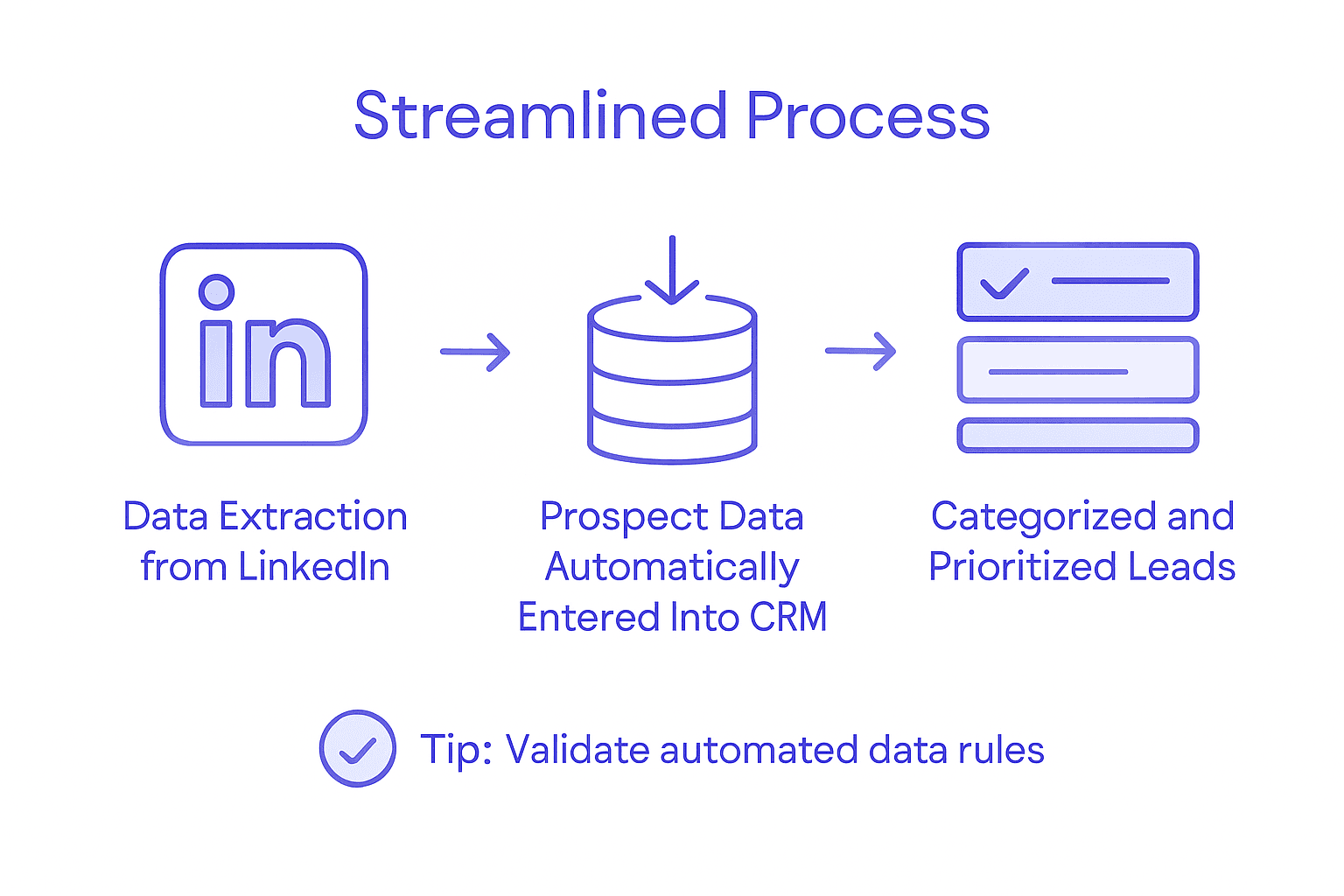
Pro Tip: Set up automated data validation rules in your CRM to automatically flag incomplete or potentially incorrect prospect records, ensuring your database remains clean and actionable.
Below is a summary of tools and techniques for efficient prospect data capture:
| Tool/Technique | Main Benefit | Integration Complexity |
|---|---|---|
| Browser Extension | Instant transfer from LinkedIn | Low |
| Direct CRM Integration | Automated bulk imports | Moderate |
| Custom API Workflows | Fully tailored data capture | High |
| Automated Validation Rules | Prevents errors and bad data | Moderate |
Step 4: Engage and Track Outreach with CRM Tools
Engaging and tracking prospect outreach becomes dramatically more effective when you leverage integrated CRM tools that transform communication management into a strategic process. LinkedIn Sales Navigator integration with CRM systems offers powerful capabilities for monitoring and optimizing your sales interactions.
Start by configuring your CRM to automatically log all communication touchpoints including emails, phone calls, and social media interactions. Create custom tags and stages within your pipeline to track prospect engagement levels and categorize interactions based on their potential. This systematic approach allows you to quickly identify which prospects are most responsive and prioritize your follow up efforts. Use features like automated email tracking and interaction timeline views to understand the progression of each potential client relationship.
Develop a consistent outreach rhythm by setting up scheduled follow up reminders and tracking response rates within your CRM platform. Managing LinkedIn message workflows becomes significantly more streamlined when you integrate communication platforms directly into your contact management system. Utilize built in analytics to measure the effectiveness of your communication strategies and continuously refine your approach based on real time data insights.
Pro Tip: Implement a standardized communication template library in your CRM that allows quick customization while maintaining a consistent professional tone across all prospect interactions.
Step 5: Verify Data Accuracy and Optimize Processes
Ensuring data accuracy and optimizing your sales workflows are critical steps that transform raw information into actionable insights. Implementing robust data verification techniques will help you maintain the integrity of your prospect information and streamline your sales processes.
Start by conducting comprehensive audits of your CRM data at regular intervals. Configure security roles that limit data modification permissions and establish clear protocols for data entry and updates. Pay special attention to potential discrepancies in contact information, job titles, and company details. Thorough testing of LinkedIn CRM integration workflows becomes essential to identify and resolve issues like mismatched field mappings or unexpected data transfer limitations. Utilize automated validation tools that can flag inconsistent or duplicate entries, ensuring your database remains clean and reliable.
Develop a systematic approach to continuous process improvement by tracking key metrics related to data quality and integration performance. Implement AI powered automation tools that can help streamline data synchronization and reduce manual verification efforts. Create a feedback loop within your sales team to quickly address any data related challenges and continuously refine your integration strategies.
Pro Tip: Establish a monthly data hygiene review where team members spend 30 minutes cleaning up and validating contact records, preventing data rot and maintaining your CRM’s overall health.
Supercharge Your Sales Prospecting with LeadLx Integration
The article highlights key challenges like inefficient manual data entry, disjointed LinkedIn and CRM workflows, and the risk of inaccurate or duplicate prospect information. If you are aiming to streamline contact data capture, boost engagement tracking, and maintain clean CRM records through seamless LinkedIn CRM integration, LeadLx offers a powerful solution designed for exactly these pain points. By overlaying HubSpot or Salesforce data directly on LinkedIn profiles, LeadLx eliminates the need to switch tabs, saving you hours every week while improving data accuracy and team collaboration.
Ready to reduce repetitive manual tasks and accelerate your sales prospecting process?

Explore how LeadLx simplifies bulk data extraction, one-click CRM updates, and provides shared CRM visibility to prevent duplicates. Take control of your pipeline today by visiting LeadLx and discover how our platform can transform your sales workflows. Don’t wait to unlock more productive, targeted prospecting with integrated LinkedIn and CRM tools.
Frequently Asked Questions
How can I set up LinkedIn and CRM integration for my sales team?
To set up LinkedIn and CRM integration, access your CRM settings and locate the LinkedIn integration option. Authorize data sharing permissions, and ensure you have administrator access to both platforms before proceeding with the connection.
What are the key steps for defining and segmenting my target prospects?
Begin by analyzing your ideal customer profile beyond basic demographics. Identify industry challenges, company size, and specific pain points, then create detailed personas to tailor your outreach strategies effectively.
How do I efficiently extract and capture prospect data from LinkedIn?
Leverage browser extensions and CRM integration tools to automate data capture from LinkedIn. Focus on extracting essential information like job title and contact email, ensuring you comply with data privacy regulations while transferring the information.
What features can I use to engage and track my outreach within CRM tools?
Utilize your CRM to automatically log communication touchpoints such as emails and phone calls. Set custom tags and stages to monitor engagement levels and schedule follow-up reminders based on prospect responsiveness.
How often should I verify the accuracy of my CRM data?
Conduct comprehensive audits of your CRM data regularly, at least once a month. Use automated validation tools to flag inconsistencies, ensuring your contact records stay clean and actionable.
What actions can I take to optimize my prospecting processes?
Implement AI-powered automation tools to streamline data synchronization and reduce manual validation efforts. Track key metrics related to data quality and integration performance to continuously refine your strategies.
Recommended
- Outbound Prospecting Explained: Complete Expert Overview
- Prospecting Process Optimization: Boost Sales Efficiency Fast
- Time-Saving Prospecting Methods for Efficient Lead Capture
- LeadLx Blog: LinkedIn Outreach, CRM Efficiency & Insights
- 10 Effective Lead Generation Strategies for Businesses – Jarrod Harman
- 7 Steps to a Proven Sales Performance Improvement Checklist