
Juggling prospect information across HubSpot, Salesforce, and LinkedIn quickly turns into a headache when your data never quite matches from one system to the next. For sales and marketing teams at mid-sized tech companies, this gap means wasted hours, missed opportunities, and awkward double outreach to the same contact. Sales data synchronization gives your team a single source of truth, letting you capture and act on updates in real time, so you can focus less on fixing mistakes and more on closing deals.
Table of Contents
- Defining Sales Data Synchronization In Prospecting
- Core Types: Manual, Automated, Real-Time Sync
- How LinkedIn Integrations Enhance CRM Accuracy
- Key Benefits For Mid-Sized Tech Sales Teams
- Common Pitfalls And How To Avoid Errors
Key Takeaways
| Point | Details |
|---|---|
| Sales Data Synchronization is Essential | Maintaining accurate and consistent prospect data helps prevent errors and duplicate efforts, ultimately improving sales efficiency. |
| Real-Time Sync Offers Maximum Accuracy | Real-time synchronization provides immediate updates, ensuring your team always works with the latest information for timely outreach. |
| Automated Systems Reduce Manual Labor | Implementing automated synchronization can save significant time and reduce human errors in data entry, freeing up sales teams to focus on selling. |
| Thorough Planning is Critical | Careful planning and testing prior to synchronization implementation prevent common pitfalls such as data mismatches and sync errors. |
Defining Sales Data Synchronization in Prospecting
Sales data synchronization is the process of keeping your prospect and customer information consistent across all your tools. When you’re juggling HubSpot, Salesforce, and LinkedIn simultaneously, you’re working with multiple systems that don’t automatically talk to each other. Sales data synchronization bridges that gap by ensuring that when you update a prospect’s phone number in your CRM, that change doesn’t disappear when you look at LinkedIn. It means your team works from a single source of truth rather than hunting through different platforms wondering which version of the data is actually correct.
At its core, data synchronization maintains consistent information across multiple systems in real time or on a schedule. For prospecting specifically, this eliminates the friction points that waste your time. You capture a lead’s company name on LinkedIn, and it automatically flows into HubSpot. You note that a prospect changed jobs, and that update reaches Salesforce without manual entry. Your team sees that John Smith has already been contacted, so nobody sends him a duplicate email. These aren’t minor conveniences. You’re talking about preventing the exact situations that frustrate sales managers and tank conversion rates.
The real value emerges when you consider what happens without synchronization. Sales reps manually copy contact details between systems. Someone updates information in one platform but forgets about the other. A prospect gets contacted twice because two team members didn’t realize the same person already received outreach. Data grows stale because nobody has time to maintain accuracy across multiple locations. This scattered approach doesn’t just waste hours each week. It creates friction in your prospecting workflow, damages prospect relationships, and kills your ability to act quickly on new leads. Effective prospecting requires streamlined CRM processes that eliminate these manual, repetitive tasks.
Pro tip: Start by identifying which data fields your team updates most frequently (job titles, company changes, contact status), then prioritize synchronizing those first to see immediate efficiency gains before expanding to less-critical fields.
Core Types: Manual, Automated, Real-Time Sync
Not all data synchronization works the same way. Understanding the different types helps you pick what actually fits your team’s workflow and budget. The three main categories are manual sync, automated sync on a schedule, and real-time sync. Each has tradeoffs, and picking the wrong one can leave you stuck with the same problems you’re trying to solve.
Manual synchronization is exactly what it sounds like: someone sits down and updates records across systems by hand. A rep pulls contact information from LinkedIn, pastes it into HubSpot, then makes sure Salesforce has the same details. This approach is cheap to implement because it requires zero new tools. The problem is obvious. It’s slow, error-prone, and eats up 10 to 15 hours of your team’s month on busywork. People forget steps. They copy outdated information. Two reps end up duplicating effort because nobody tracks who updated what. If your team is small and your prospect list is tiny, manual sync might limp along. But the moment you scale, this approach collapses.
Automated synchronization removes the human element from routine updates. Data flows between systems on a schedule or in response to specific triggers. One-way and two-way sync methods offer different approaches: one-way sync moves data in a single direction (LinkedIn to HubSpot), while two-way sync keeps information synchronized in both directions so changes in either system update the other. Scheduled sync runs at set intervals, like every hour or every night. This eliminates manual work and reduces errors significantly. Your reps stop copying data and start actually prospecting. The downside is latency. If a prospect updates their job title on LinkedIn at 2 PM and your sync runs at midnight, you’re working with stale information for 10 hours.

Real-time synchronization eliminates the waiting. The moment you capture a lead’s information on LinkedIn or update their status in HubSpot, that change instantly appears everywhere else. Real-time sync eliminates latency in updates, which matters when you’re deciding whether to reach out to someone right now or put them in a nurture sequence. This is the gold standard for prospecting because your team always has accurate information at the exact moment they need it. The tradeoff is cost and complexity. Real-time systems require more robust infrastructure and typically come with higher price tags.
Pro tip: If you’re using HubSpot or Salesforce with LinkedIn prospecting, start with automated two-way sync to eliminate manual work and reduce errors, then upgrade to real-time sync once your team size or deal velocity justifies the additional investment.
Here’s a quick comparison of sales data synchronization methods and their core business impacts:
| Sync Type | Best For | Efficiency Impact | Common Challenges |
|---|---|---|---|
| Manual | Small teams, low volume | Slow, high error risk | Duplicated effort, data inconsistency |
| Automated (Scheduled) | Growing teams, regular updates | Reduces errors, saves time | Some data latency, complexity increases |
| Real-Time | Fast-moving, larger teams | Immediate accuracy, fastest decisions | Higher costs, technical demands |
How LinkedIn Integrations Enhance CRM Accuracy
Your CRM is only as good as the data inside it. When your sales team spends their day switching between LinkedIn and HubSpot or Salesforce, something gets lost in translation. A prospect’s job title changes on LinkedIn but nobody updates it in your CRM. Contact information sits in LinkedIn but never makes it into your system. These gaps compound quickly, turning your CRM from a source of truth into a source of confusion. LinkedIn integrations solve this by automating the flow of information between platforms, so your CRM stays accurate without manual intervention.
The core benefit is eliminating duplicate data entry. When you find a prospect on LinkedIn, you no longer copy their email, company name, and job title by hand. The integration captures that information automatically and pushes it into your CRM in seconds. This single change removes the most common source of errors in data management. People mistype email addresses. They transpose phone numbers. They forget to update a field entirely. Automation eliminates these mistakes. Beyond preventing errors, LinkedIn CRM integration syncs interactions and contact data automatically, ensuring your entire team sees the same information at the same time. When Sarah sends a connection request on LinkedIn, that interaction logs in the CRM. When Tom discovers a prospect was promoted, that job change flows into the system instantly.
This real-time visibility transforms how your team makes decisions. Your reps no longer waste time hunting for information about a prospect. They open the CRM and see the complete picture: the last time someone on your team contacted this person, their current company and title, recent job changes, and all previous interactions. This context lets them personalize outreach and avoid irrelevant pitches. More importantly, it prevents your team from contacting the same person multiple times because one rep didn’t realize another had already started a conversation. When you’re managing 200 prospects across a team of five people, that coordination becomes critical. Integration ensures everyone works from the same playbook.
Accuracy also improves because integrations provide alerts on significant changes. When a prospect gets promoted or moves to a new company, your system flags it automatically. Your team can reach out at exactly the right moment instead of discovering the change three weeks later during routine record reviews. This timing advantage compounds over months and years. The average sales rep at a mid-sized tech company sends roughly 40 to 50 outreach messages per week. If LinkedIn integration reduces the time spent hunting for information and verifying data accuracy by even 30 percent, you’re looking at 12 to 15 hours freed up per rep per month. Multiply that across a team of five or ten, and you’ve recovered significant productivity.
Pro tip: Set up automated alerts for job changes and company moves within your LinkedIn integration, then create a workflow in your CRM that flags these prospects as high priority so your team reaches out within 48 hours while the change is fresh.
Key Benefits for Mid-Sized Tech Sales Teams
Mid-sized tech companies sit in an interesting position. You’re past the point where everything runs on spreadsheets and email, but you don’t have the resources of enterprise sales teams with dedicated data analysts. That’s where sales data synchronization becomes a genuine competitive advantage. Your team operates in that sweet spot where the right tools can unlock disproportionate returns. When LinkedIn data flows automatically into HubSpot or Salesforce, something shifts in how your sales organization operates.
The first tangible benefit is time recovery. Right now, your reps spend roughly two to three hours per week managing data across systems. That’s time not spent selling. With synchronization, that overhead drops dramatically. A rep finds a prospect on LinkedIn, relevant CRM data appears instantly via a browser extension overlay, and one click captures all necessary information. No more manual transcription. No more cross-checking information across tabs. Real-time data synchronization enables faster response times because reps can act on opportunities immediately instead of waiting for updated information. When a prospect’s company announces funding or a team member gets promoted, your reps know about it the moment the change happens. That creates opportunities to reach out with perfectly timed, contextually relevant outreach.
The second benefit is accuracy compounding over time. At mid-sized companies, even small data quality issues create massive friction. A prospect’s email is wrong in three places. Nobody knows if Sarah or Tom already contacted this person. Information about a completed demo exists on LinkedIn but not in your CRM pipeline. These gaps force reps to make decisions with incomplete information, leading to duplicated efforts, missed opportunities, and unprofessional follow-up sequences. Synchronization eliminates this. Data consolidation enables comprehensive insights and deeper understanding of your prospects and market trends. Your entire team operates from a unified source of truth. This single shift improves forecast accuracy because your pipeline reflects reality rather than scattered information across multiple systems. When your CEO asks why a deal slipped, you can actually answer because the data is accurate and complete.
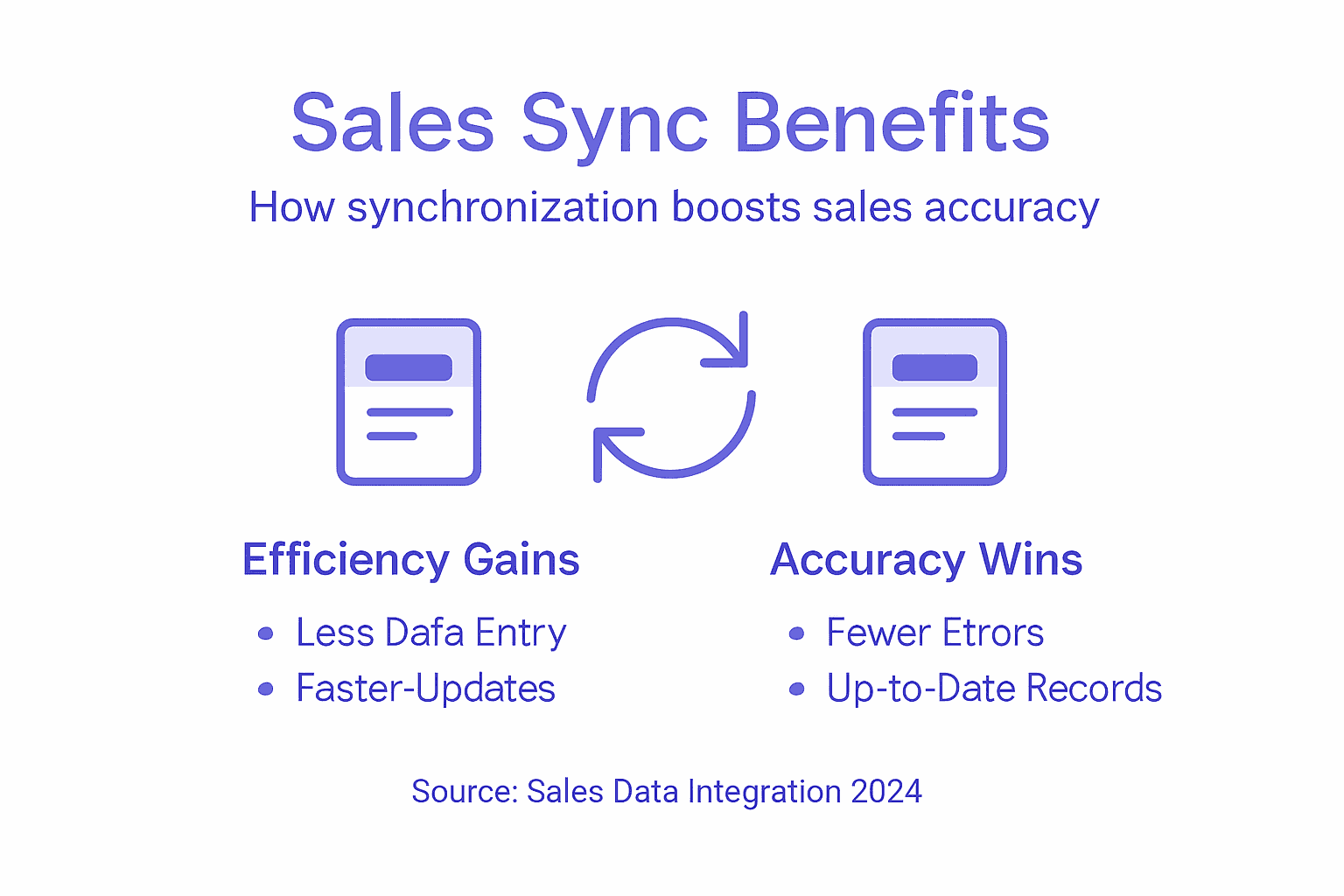
The third benefit is scalability without proportional cost. As your team grows from five reps to ten, then fifteen, manual data management becomes mathematically impossible. But with synchronization, you scale without hiring a data operations person. Your processes stay clean automatically. Collaboration improves because everyone sees the same information at the same time. One rep notes that a prospect is no longer the right contact, and everyone instantly knows not to reach out to that person. Another rep discovers a prospect’s company uses a specific technology stack, and the team can tailor pitches accordingly. These advantages multiply as your team grows, making synchronization less of a nice-to-have and more of a scaling requirement.
Pro tip: Audit your current data quality by picking 20 random CRM records and comparing them against the same prospects on LinkedIn, then use that gap analysis to set benchmarks for measuring the impact of your synchronization implementation over the first 90 days.
This table summarizes major LinkedIn CRM integration benefits for mid-sized tech sales teams:
| Benefit | Description | Estimated Time Saved per Rep |
|---|---|---|
| Automated Data Capture | Reduces manual entry errors and effort | 12–15 hours monthly |
| Unified View | Ensures all reps see real-time updates | Improves collaboration and eliminates confusion |
| Priority Alerts | Flags job changes and company moves instantly | Enables outreach within 48 hours |
| Scalability | Allows process growth without extra admin staff | Supports teams from 5 to 15+ reps |
Common Pitfalls and How to Avoid Errors
Synchronization sounds straightforward until you actually implement it. That’s when reality hits. Your HubSpot uses different field names than Salesforce. LinkedIn provides information that doesn’t fit your CRM structure. One system tracks updates with timestamps, another doesn’t. These mismatches seem like small technical details until they corrupt your data. A prospect’s email syncs incorrectly. Contact information duplicates across records. Your pipeline shows phantom deals. These aren’t rare edge cases. They’re predictable problems that happen when you don’t plan for them.
The most common mistake is underestimating what actually needs to sync. You think you just need names and emails. But then you realize your team also tracks company size, industry, technologies used, and conversation context. You need to know whether someone has been contacted, when, and by whom. You need job change history so you can identify when prospects get promoted. Schema mismatches between source and target systems cause data loss or duplication when fields don’t map correctly. A prospect’s “job title” in LinkedIn might be called “position” in HubSpot and “role” in Salesforce. If your synchronization tool doesn’t handle these differences, data either gets dropped or creates duplicate records. This is why thorough planning matters before you flip the switch. Spend time documenting every field that matters to your team, how it’s named in each system, and what transformations need to happen.
The second pitfall is weak change detection. You set up synchronization to run once per day, thinking that’s sufficient. But a prospect’s contact information changes at 3 PM and your sync runs at midnight. Your team operates for nine hours with stale data. Worse, some synchronization systems miss updates entirely if they don’t have reliable change detection mechanisms. A timestamp field tells the system exactly which records have changed since the last sync. Without it, the system either reruns everything (wasting resources and creating confusion) or misses changes entirely. Real-time or near-real-time synchronization eliminates this problem, but it costs more. The tradeoff depends on your sales cycle. If you sell to Fortune 500 companies with 12-month sales cycles, daily sync might be fine. If you’re doing inside sales with short decision windows, you need something closer to real-time.
The third pitfall is insufficient testing before rollout. You configure synchronization in your sandbox environment, run a few test records through, and think you’re ready. Then you push to production and discover that custom fields don’t sync, historical data creates conflicts, or security settings block certain information. Thorough testing and comprehensive discovery of all systems are critical before full implementation. Test with real data from your actual systems, not sanitized test records. Run scenarios with custom fields, historical updates, and edge cases. Have your team use the system in real workflows before declaring it production-ready. The time invested in testing now prevents weeks of troubleshooting after launch.
Pro tip: Run a parallel test for two weeks where synchronization happens but your team continues using manual processes, then compare the synced data against what your reps enter manually to identify discrepancies before you fully depend on the system.
Unlock Seamless Sales Data Synchronization with LeadLx
The article highlights the critical challenge of maintaining accurate and up-to-date prospect data across LinkedIn, HubSpot, and Salesforce. Manual syncing wastes valuable time and leads to costly errors that damage prospecting efforts. If you are struggling with duplicated contact entries, stale information, or slow data updates, these pain points hinder your team’s ability to act fast and stay aligned.
LeadLx offers a powerful solution tailored for sales and marketing professionals who want to eliminate repetitive manual tasks and gain a unified view of prospects instantly. By integrating LinkedIn with your CRM via a browser extension, LeadLx overlays HubSpot or Salesforce records directly onto LinkedIn profiles. You can effortlessly extract contact and company information and update your CRM with one click. This streamlines your workflow by saving up to 10 hours per week per rep while improving data accuracy and team collaboration.
Take control of your prospecting pipeline today and experience real-time sales data synchronization that scales with your team. Discover how our platform transforms LinkedIn prospecting by reducing errors, preventing duplicate entries, and enabling faster outreach. Learn more about how LeadLx’s features can empower your sales process at LeadLx.
Looking to get started now?

Boost your sales productivity by integrating LinkedIn and your CRM today. Visit LeadLx and start eliminating manual data updates so your team can focus on closing deals.
Frequently Asked Questions
What is sales data synchronization?
Sales data synchronization is the process of keeping your prospect and customer information consistent across multiple systems, like CRMs and LinkedIn. It ensures that updates in one platform are reflected in others, eliminating data discrepancies.
Why is data synchronization important for prospecting?
Data synchronization is crucial for prospecting because it provides accurate, up-to-date information to sales teams. This improves efficiency, prevents duplicated efforts, and enhances the overall effectiveness of outreach to prospects.
What are the different types of data synchronization methods?
The primary types of data synchronization are manual sync, automated sync (scheduled), and real-time sync. Manual sync requires human intervention, while automated sync operates on a schedule, and real-time sync updates information instantly across systems.
How can LinkedIn integrations improve CRM accuracy?
LinkedIn integrations improve CRM accuracy by automating the flow of data between LinkedIn and your CRM, eliminating duplicate data entry, and ensuring that all sales team members have access to the same, current information about prospects.