


Check ICP fit, find the entire buying group, enrich each record, and push everything to your CRM in 60 seconds.



Who sell mainly on LinkedIn, and care about their account reputation.
Detect ICP match.
Add your company domain to generate an ICP profile that LeadLx will use to evaluate and score companies.
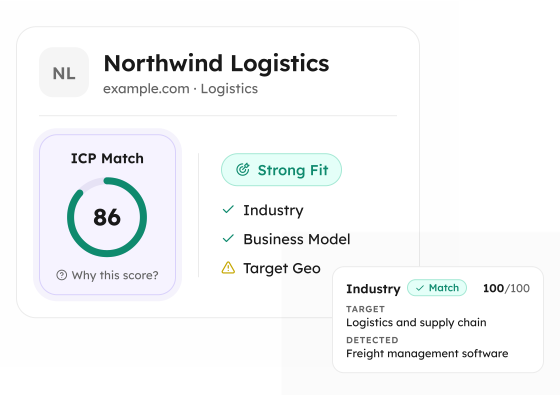
Launch the LeadLx sidebar on the company profile to view the ICP Match score and fit status.
LeadLx compares the company with your generated ICP and shows a clear score with fit or no-fit status, along with key match factors such as Industry, Business Model, and Target Geo.
Open the score explanation to understand the overall ICP result and click each match factor to see why it increased or decreased the company's fit score.
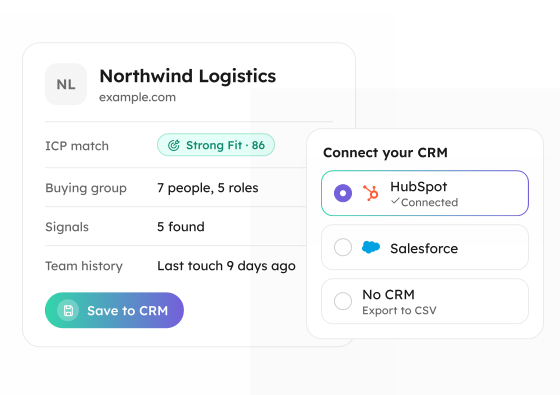
When the company is a good ICP fit, save it to LeadLx and sync it to your CRM, so your CRM stays focused on relevant target accounts.
Find and enrich the entire buying group.
Go to any relevant company page and launch the LeadLx sidebar to continue the workflow.
Review the company information in the LeadLx sidebar and edit details if needed before searching for decision-makers.
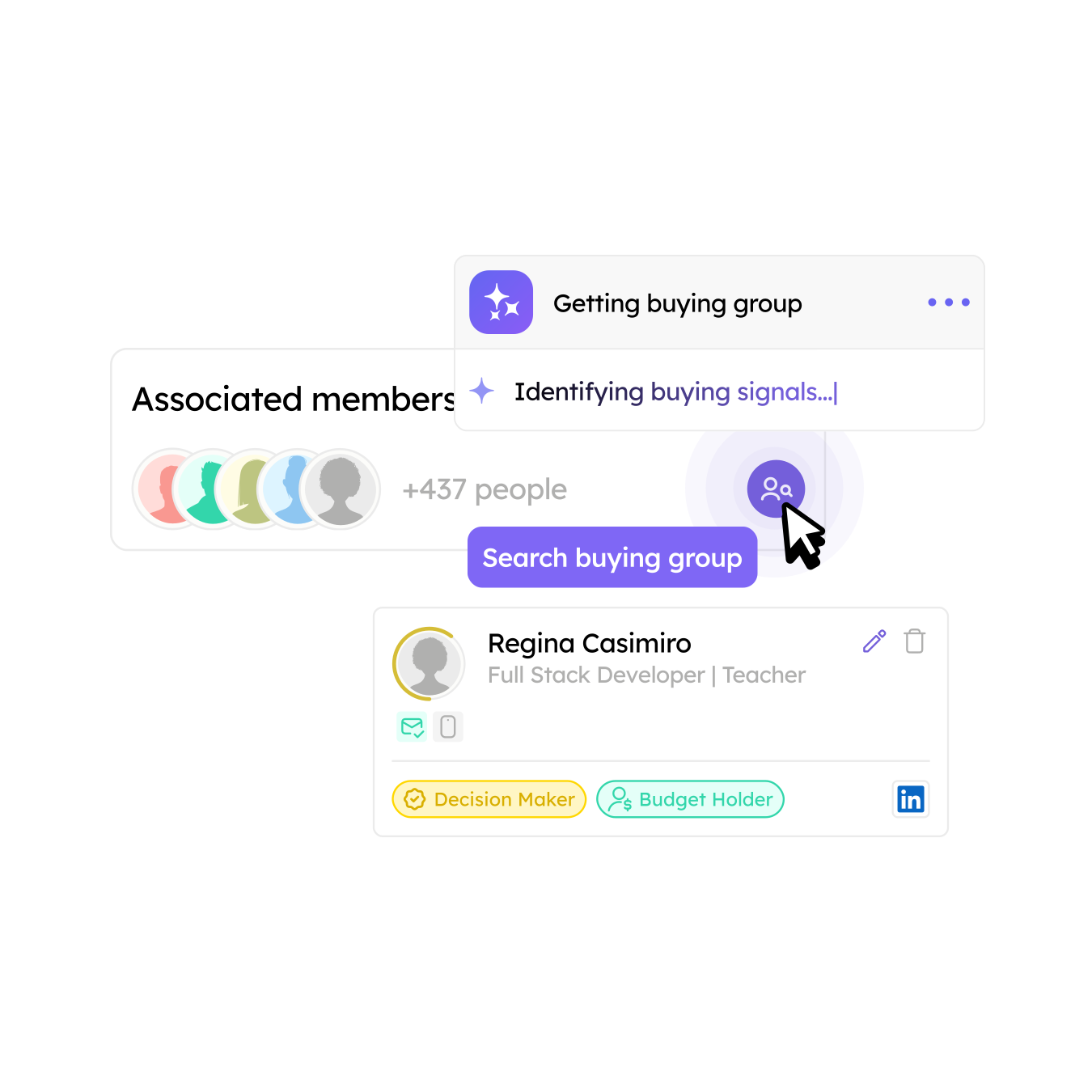
Click Find buying group in the company tab to discover key roles and relevant stakeholders within the selected company.
Check the decision-makers found for the selected company and identify the contacts that are most relevant to your sales process.
If needed, find contact information for selected decision-makers and edit their details before saving them.
Select the right decision-makers, save them to LeadLx, and sync them to your CRM to build a complete buying group there.
Send any contact, company, or list to your CRM.
Use Sales Navigator search, filters, saved searches, or saved lists to find the contacts or companies you want to save.
Go to the search results page where LeadLx can detect the contacts or companies available for extraction.
If needed, assign the selected records to a segment before saving, so they stay organized and ready for your next workflow.
Click Save in the LeadLx sidebar to save multiple contacts or companies at once and sync them to your CRM.
Review the saved contacts or companies in your CRM and continue working with a clean, deduplicated prospect list.
You've spent years building your LinkedIn presence. The last thing you want is to put your account at risk. That’s why LeadLx helps you research prospects, analyze accounts, and uncover insights while keeping you in control.
Nothing happens beyond your active LinkedIn session.

Speeds up prospect research as you browse LinkedIn profiles and company pages
Shows ICP-fit scores and buying group insights in the extension sidebar
Merges all your LinkedIn inbox messages together
Proactively suggests who else to connect with at your target account
We don’t visit profiles and collect information on your behalf
We don’t add buttons, icons, or modify LinkedIn's interface in any way
We don’t send any messages through third-party providers
We don’t automate connection requests

Research prospects and accounts directly on LinkedIn and Sales Navigator with the LeadLx Chrome extension. Instantly assess ICP fit, discover buying group members, and enrich their profiles with email addresses and phone numbers. Access prospecting insights as you browse, without automating connection requests or outbound messages.

Keep your prospecting workflow connected to your sales pipeline at all times. Turn LinkedIn research into contact and company records in HubSpot. Enrich prospect data and sync qualified leads to HubSpot without copying and pasting.
Send qualified LinkedIn prospects and enriched contact data directly to Salesforce. Keep your CRM records updated with relevant account and buying group information. Reduce manual data entry and move seamlessly from prospect research to sales execution.


You've realized that volume alone isn't the answer anymore.
LeadLx identifies relevant people at an account and maps them to key buying roles.
You're a marketer responsible for pipeline, which means your job doesn't end when someone becomes an MQL.
Set up the ICP definitions together with your sales team and put an end to endless debates about lead quality. LeadLx scores every account in seconds.
Most of your prospecting happens on LinkedIn, but you’re tired of keeping track of everyone in spreadsheets.
Shows every company and contact you've added to LeadLx, with buying group, ICP and signal status.
